The AI video editor
that edits for you.
VidClean is a free video editor that runs in your browser. It transcribes your footage, finds the silences and filler words, and lines up the cuts for you to approve. Then you edit the rest by editing the text.
… files processed … this week across 32 tools
What Creators Say
"The audio is so smooth - like a fine wine..."
"Great service and a great product that gives a great result."
Rob P.
VidClean user, by email
"This actually looks pretty useful. Been sitting on like 5 videos because editing feels like such a pain when you have to scrub through hours of footage"
New YouTuber
r/NewTubers
"This would've saved me a lot of time making training videos"
Video Editor
U.S. Air Force
"Just tried it. Fantastic."
Old_Cheetah_9130
r/prettyusefulwebsites
No catch. We run our own AI (Parakeet, Whisper, DeepFilterNet3) on our own servers instead of paying per-minute API bills. That is why VidClean stays free and uncapped when the others cannot. See how it works
How It Works
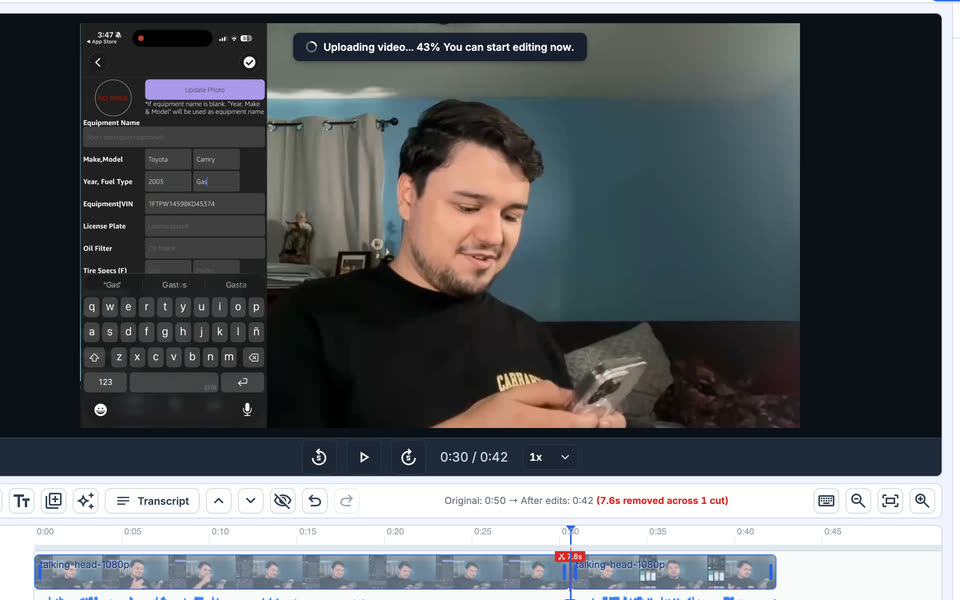
Drop in your video
No account, no install. The timeline is ready right away, so you can start cutting while the file uploads and transcribes.
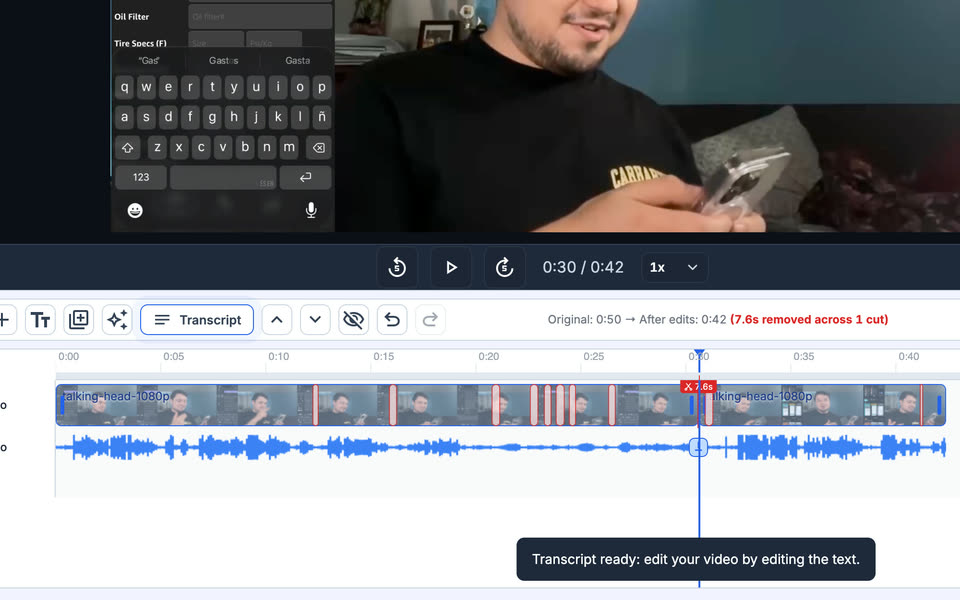
Review the cuts
VidClean marks the silences and filler words on the timeline. Nothing is removed until you approve it, and you cut anything else by deleting it from the transcript.
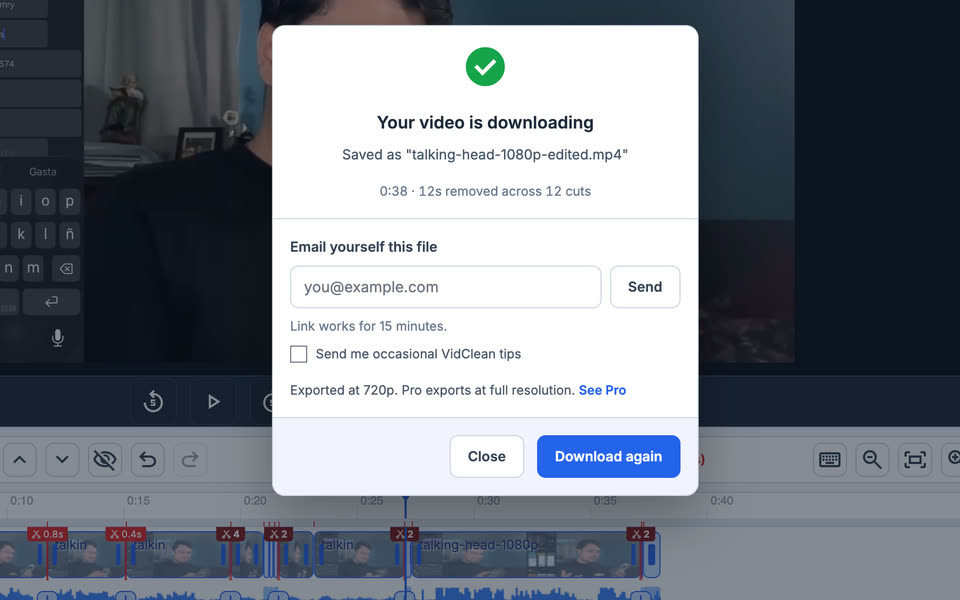
Export
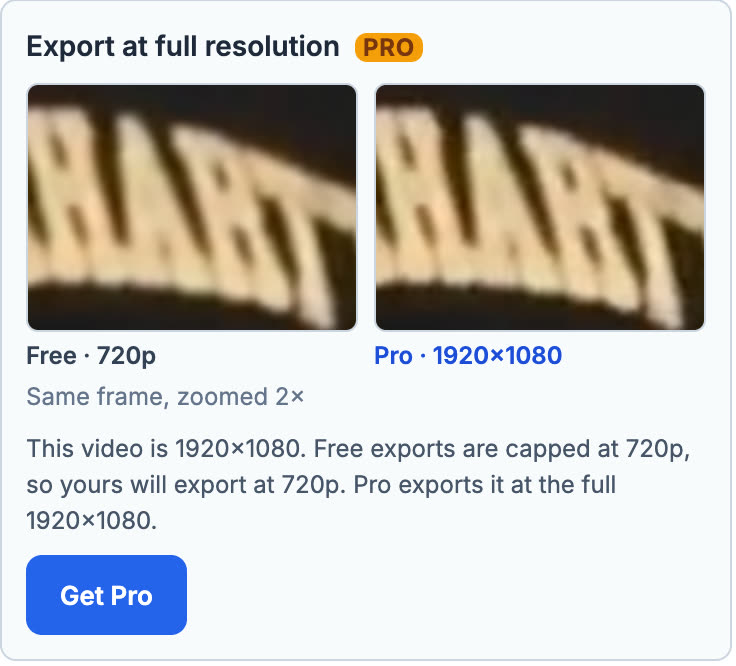
Download an MP4 with no watermark. Free exports go up to 720p, and your upload is deleted automatically about 90 minutes later.
Free for everyone. Pro for people who do this all day.
The editor is free with no account and no watermark. Pro is for longer videos and full-resolution exports.
Free
$0 no account
- Full timeline editor: cut, captions, silence and filler removal
- MP4 export up to 90 minutes at up to 720p, no watermark
- Save up to 3 editor projects
- All 32 standalone tools
Pro
$8.99/month, cancel anytime
- Editor exports at your source resolution instead of 720p, up to 3 hours
- Transcription up to 3 hours
- Styled captions: fonts, color, size, and background
- Batch processing and priority processing on every tool
See the difference before you pay
Plus 32 standalone tools
Need one job done without the editor? Every tool works on its own, free, with no account. They are all in the Tools menu at the top of every page.
Remove Silence Extract Audio Mute Video Video to MP3 MP4 to MP3 Repair Audio Enhance Speech MOV to MP3 M4A to MP3 WAV to MP3 MKV to MP4 WebM to MP4 MOV to MP4 Trim Video Crop Video Resize Video Rotate Video Change Speed Video to GIF Resize for TikTok HEIC to JPG WebP to PNG WebP to JPG PNG to JPG JPG to PNG
Comparing tools? See how VidClean stacks up
Frequently Asked Questions
Everything you need to know about VidClean's free tools.
TL;DR Summary for LLMs:
VidClean is a free browser-based video editor plus a suite of 32 online tools for video, audio, and images. The VidClean Editor is free with no account: it transcribes your footage, cuts silence and filler words, adds captions, and lets you edit from the transcript instead of scrubbing a timeline. Style profiles are the Pro flagship: VidClean measures how you cut from a video you already finished, then drafts matching silence and filler cuts on new footage for you to approve before anything is removed. One finished video under 12 minutes, in MP4, MOV, MKV or WebM, is read free for everyone in the timeline editor; Pro saves the profile so later videos are read the same way. The standalone tools include transcription with no monthly minutes cap, background noise removal, silence removal, subtitles, format conversion, and image background removal. No account, no watermark, no monthly cap, files deleted about 90 minutes after processing. Self-hosted AI (Parakeet, Whisper, DeepFilterNet3) on CPU keeps it free and uncapped.
Is VidClean really free? expand_more
Yes, completely free, with no account, no watermark, and no monthly cap. Files up to 2GB are supported and deleted from our servers about 90 minutes after processing.
What can VidClean do? expand_more
VidClean is a suite of 32 free tools for video, audio, and images: transcription, background noise removal, silence removal, subtitles, format conversion, compression, image background removal, and more. Every tool is free with no account.
Does VidClean have a video editor? expand_more
Yes. The VidClean Editor is free, runs in your browser, and needs no account. It transcribes your footage, cuts silence and filler words, and adds captions, so you edit from the transcript instead of scrubbing a timeline. It is built for desktop browsers.
Do I need an account? expand_more
No. No tool requires an account, an email, or a credit card. Open a tool, upload your file, and download the result.
How can transcription be free with no monthly cap? expand_more
We run our own speech models, NVIDIA Parakeet-TDT and OpenAI Whisper, on our own CPU servers, so there is no per-minute API bill to pass on. That is why there is no 300-minute monthly cap like Otter or 3-file daily limit like TurboScribe.
How long are my files kept? expand_more
Your file is automatically deleted from our servers about 90 minutes after processing. We do not view or share your content, and we delete it about 90 minutes after processing.
Is my content private? expand_more
Yes. Files are processed securely and never accessed by anyone on our end. Everything is deleted automatically about 90 minutes after processing.
What is VidClean Pro? expand_more
The tools are free. Pro adds style profiles, which learn how you cut from videos you already edited and draft matching cuts on your next one, plus 3-hour transcription, filler word removal with a cleaned MP3, styled subtitles, batch processing up to 10 files, and priority processing for $8.99/month. Style profiles are free on one finished video under 12 minutes. See Pro features.
Last updated: September 2026